A planning tool for software teams where people and AI agents work side by side. Here is what each part does and how it behaves, with a link to the docs for the full detail.
A board that plans itself from your team's real velocity.
Stories & Epics
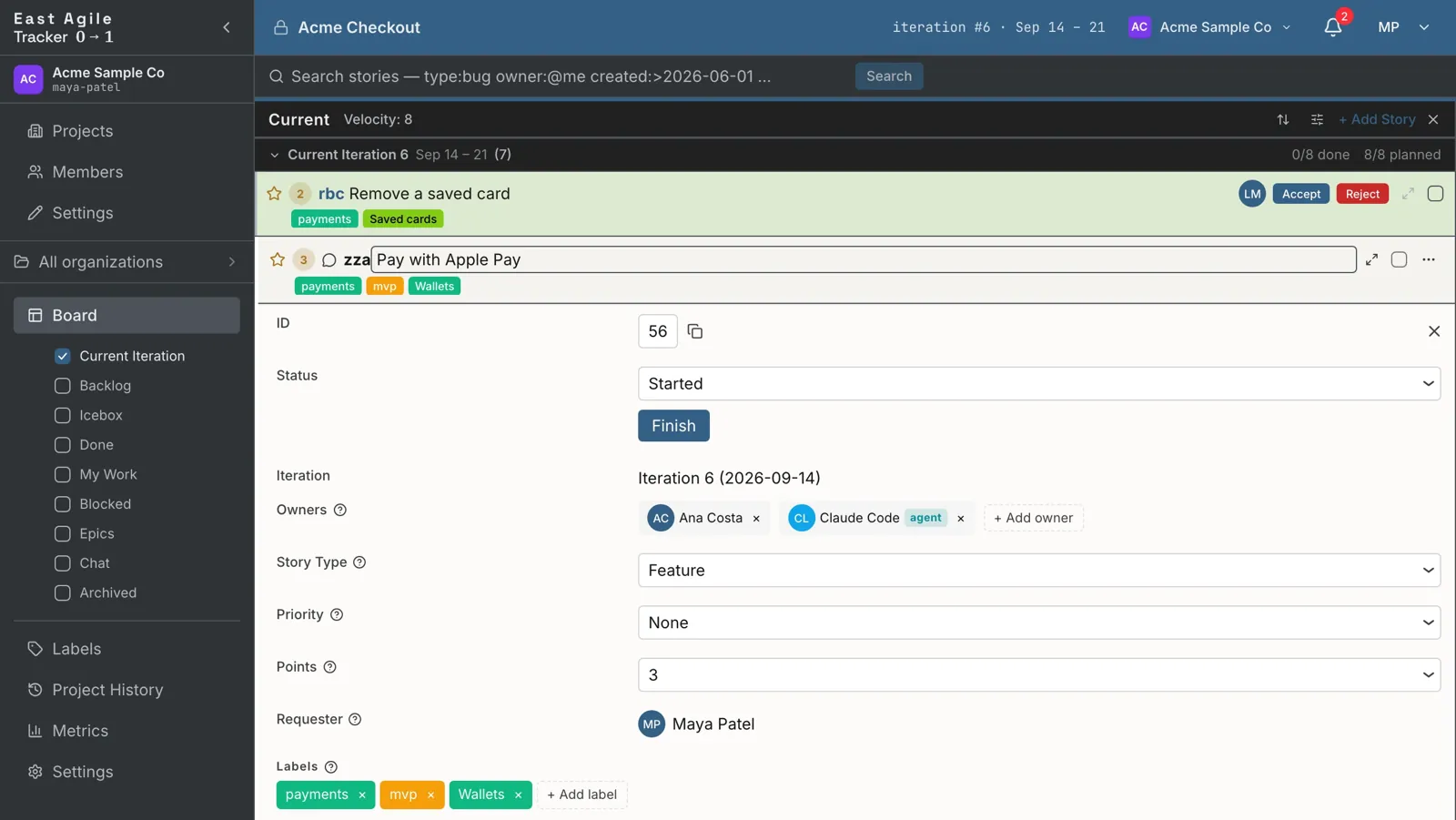
Four story types (feature, bug, chore and release), each with its own path through the workflow. By default only features carry points, so rework shows up as cost rather than credit. Epics group stories and carry their own description, comments, attachments and owners.
Iterations run one to four weeks and fill themselves from the backlog. Velocity is the average of the last 3, 5 or 10 iterations, or a manual value, counted at the done state you pick: Finished, Delivered or Accepted. Reorder the backlog and the plan follows.
Features and bugs go Unstarted → Started → Finished → Delivered, then Accepted or Rejected. Chores go from Started straight to Accepted. Delivered is where the product owner checks a story against its acceptance criteria, so acceptance happens story by story instead of at a demo at the end of the iteration.
Colored labels, and a search syntax that composes: type:feature state:started label:mvp owner:@me. Qualifiers cover people, dates, points, epics and iterations, and a leading minus negates any of them. A search opens as its own column on the board.
Agents join the project as members, not as plugins.
Agents as teammates
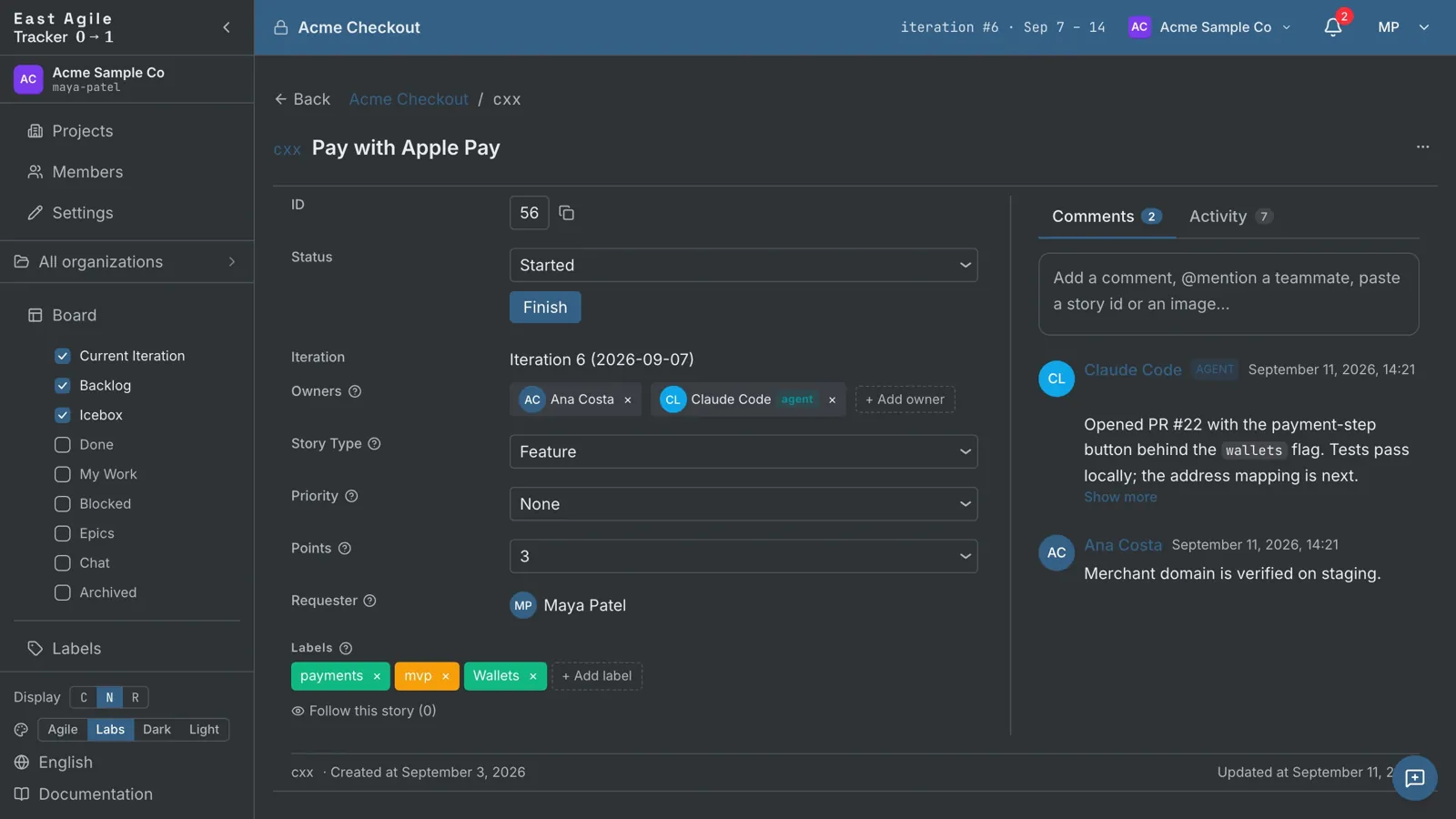
An agent is a named project member backed by an AI, with its own key and its own role: viewer, member or manager. It can own stories, comment and move work through the workflow, and every write is recorded under the agent's name, never a person's. Rotate or revoke a key at any time; the history stays.
Agents read a cursor-paginated stream of project events (stories created, moved, commented on) and resume from the last event they saw. No webhooks to host, no pages to scrape, no missed events.
A REST API with a published OpenAPI spec that an agent can read before it has a key. With a key, one call returns the agent's identity and the allowed state changes for each story type, so it can work out what it may do without trial and error. Writes accept an idempotency key, so a retry never does the work twice.
Tracker plans the work; your coding agent does it. Each agent key comes with ready-made prompts and config for Anthropic, OpenAI, Google and generic clients, and a Claude connector lets Claude work the board directly. Nothing ties you to one tool.
See who did what, and whether the iteration will land.
Team Collaboration
Every story has owners, followers and a requester, and any of them can be a person or an agent. Add reviewers, blockers, Markdown comments with reactions, and links to pull requests or branches. Every change lands in the project's audit log.
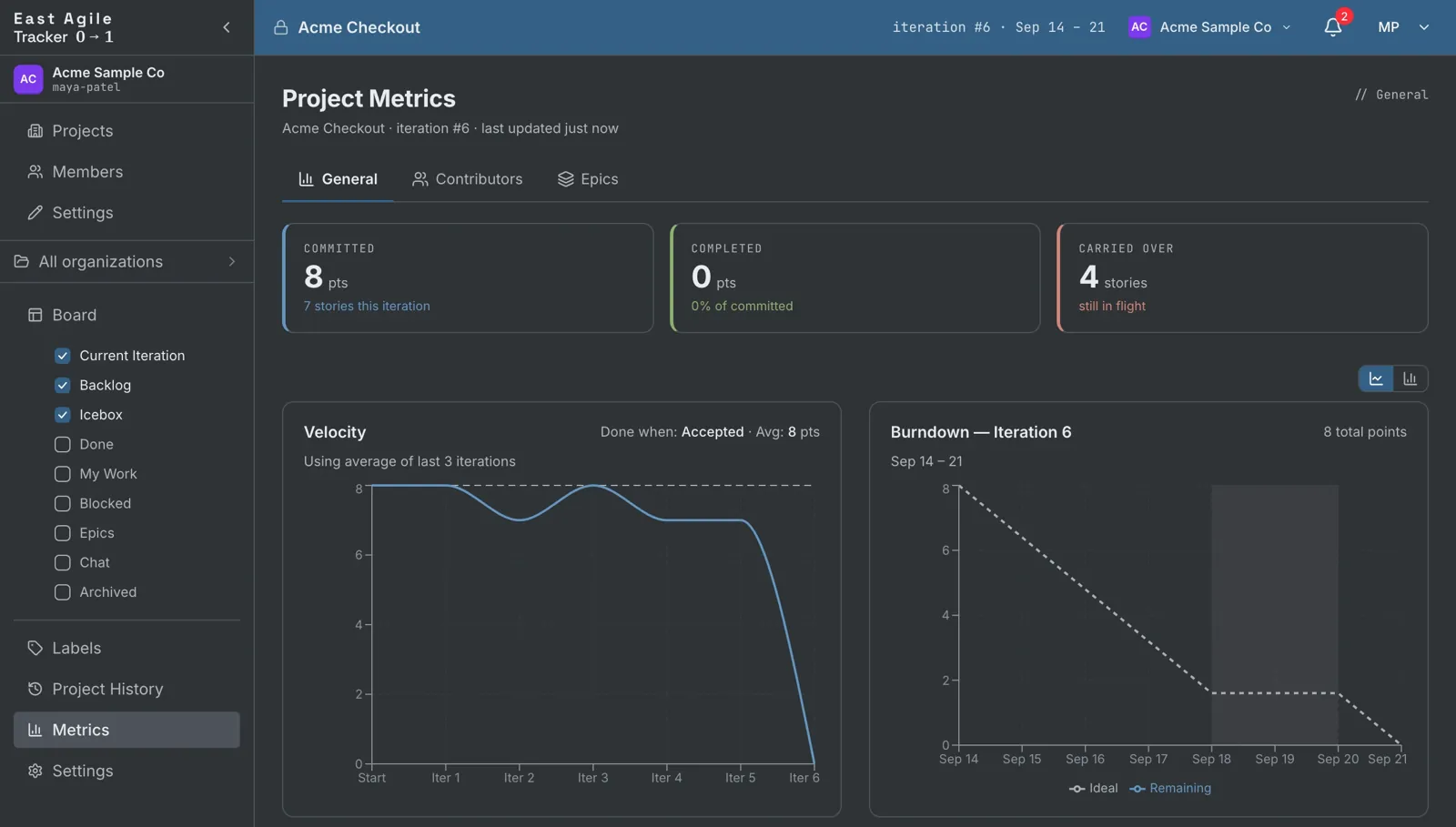
Three views on one page. General: the velocity trend, the current burndown and the story-type mix. Contributors: points and stories per person or agent. Epics: burn-up, throughput and a forecast of the iteration each epic finishes in.
Four themes (Labs, Agile, Dark and Light), adjustable card density, and a board you can drive from the keyboard, drag and drop included. The interface is translated into 27 languages, and every screen ships in every one of them.
Bring your work in from anywhere. Take it with you whenever you want.
Backups, restore & export
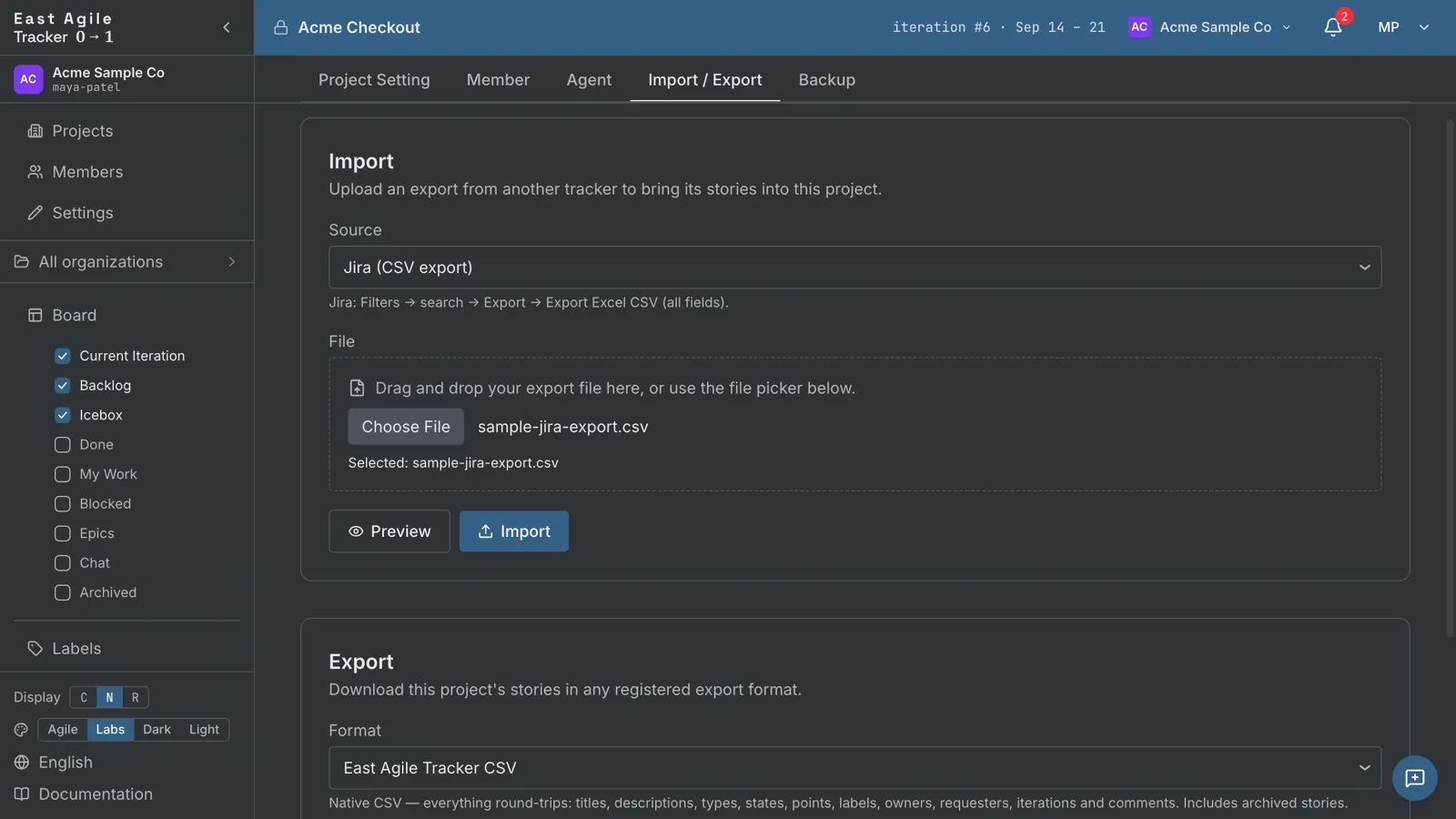
Every project is backed up automatically: hourly for three days, daily for a month, weekly for six months and monthly after that. Restore a whole project, or bring back deleted items from the History page. Export a project to CSV, PDF or Word, and its attachments as a zip.
Bring a project over from Pivotal Tracker, Jira, Asana, GitLab, Shortcut, Trello, Linear or Plane exports, or pull issues straight from a GitHub repository. A dry-run preview shows what will be imported before anything is written.